
Employees – Direct Deposit screen
Users can add, delete, and view direct deposit information on this screen.
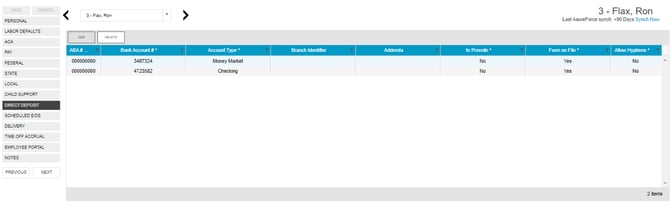
To add or delete direct deposit information:
- Click the Add button to add new direct deposit information as needed or click the Delete button to delete a direct deposit setup.
- Click Save when you have completed entering information on this screen.
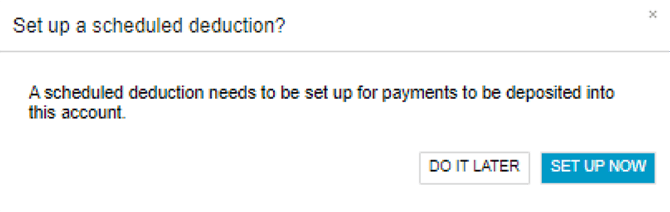
- Then, a popup box will open asking if a Scheduled E/D (earnings and deductions) has already been set up for this direct deposit.
- If not, click Set Up Now, and the Scheduled E/Ds screen will open so you can do so.